 Play · from YouTube
 Play · from YouTube
This is the short path from raw files to a finished scan. It is deliberately just the steps — every number here has a reason behind it, and the reasons are in the manual rather than here.
Note
If something refuses, skip to When it refuses at the bottom. The app never refuses silently: there is always a sentence, and the sentence says what to do.
What you need#
A camera on a copy stand shooting raw, a lamp that can put out three narrow bands one at a time, and a holder that shows the frame and the clear film around it.
A camera on a copy stand shooting raw, a white lamp, and a holder that shows the frame and the clear film around it.
A film scanner, and a scanning program that can save each frame the way the scanner read it: a 16-bit linear TIFF, or the program's raw DNG. A Pakon F-135 writes its own planar RAW, which is better still. No camera, no lamp to set and no empty-gate shot — the scanner brings its own light. Where the scanner allows it, let each scan keep the clear film around the frame: the rebate, or the gap between frames.
That clear border is not spare margin. It is unexposed film base, and it is where the roll's own base density gets read.
1 · Set the lamp#
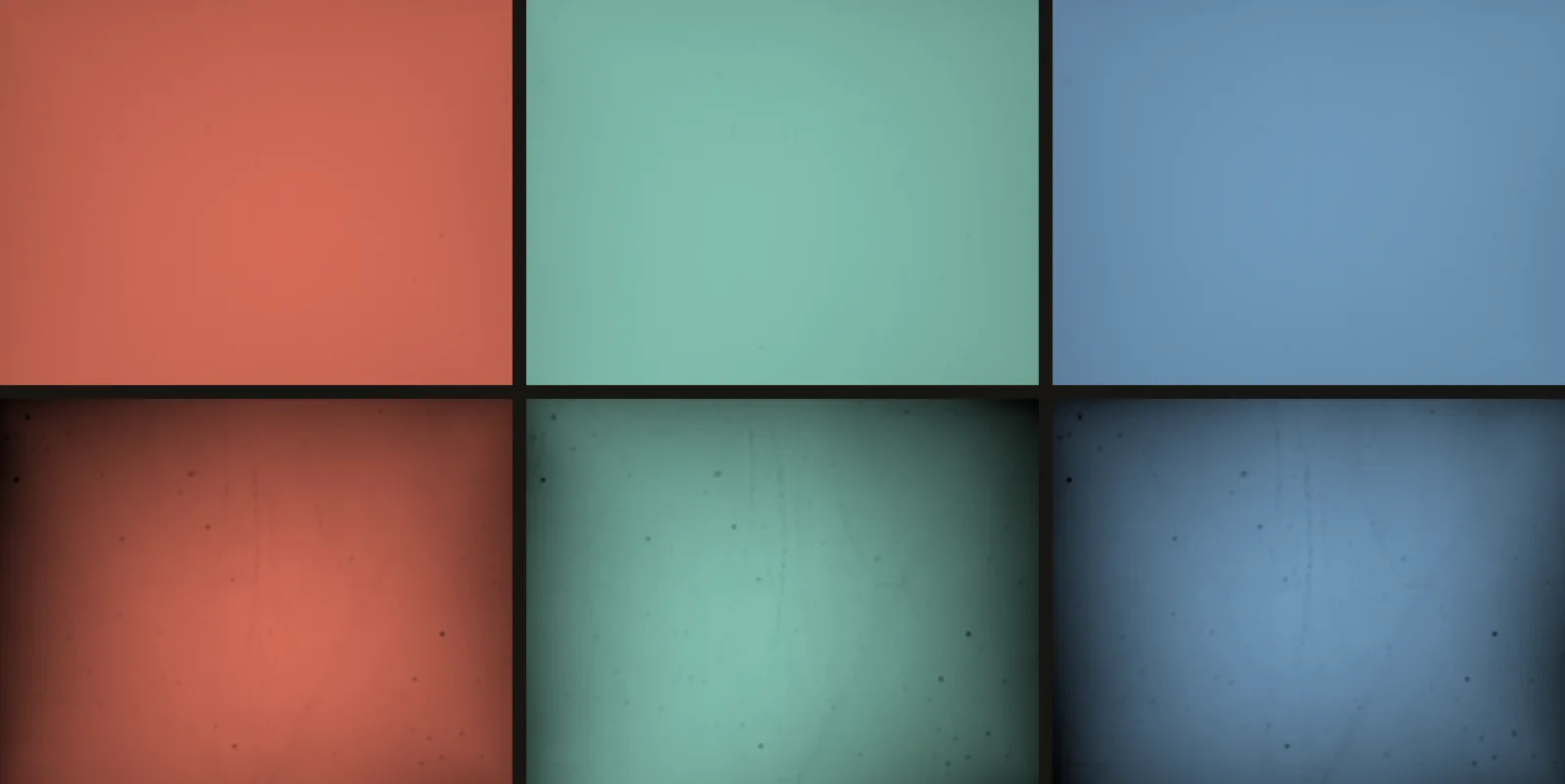
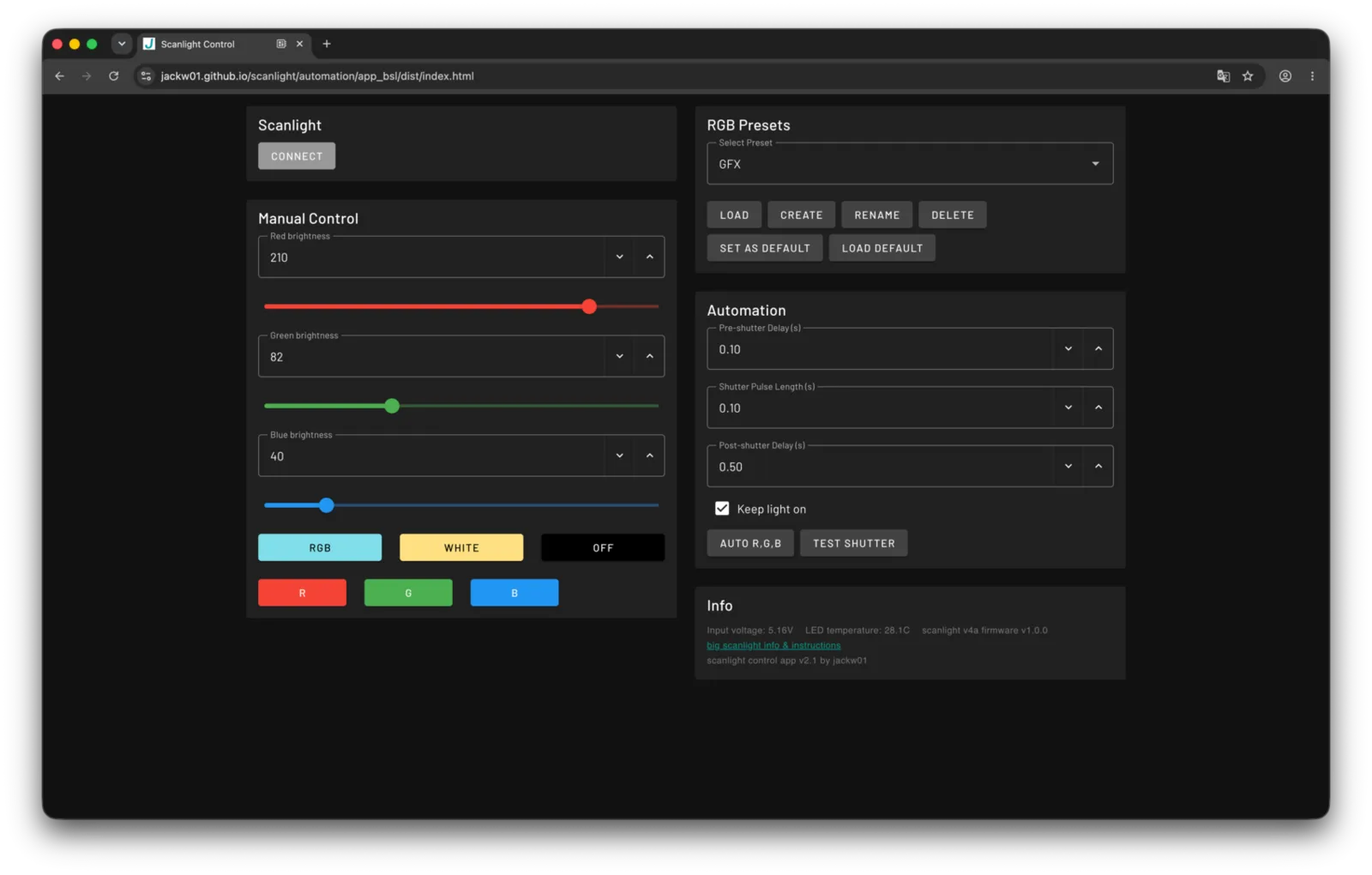
Take the film out and point the camera at the empty gate. Set each band so the sensor fills to between 75 and 90 % of its range, with nothing at the ceiling. Then write the three settings down.
Tip
The three numbers will be nowhere near each other, and that is normal. On one measured rig the three colours ran at 190, 485 and 937 counts per unit of setting — five times apart, over completely different working spans.
Below 75 % you are throwing away signal-to-noise on every density the roll will ever produce. The top is 90 % rather than 100 % because lamps drift: one was measured moving 1.3 % between two consecutive exposures at the same setting.
Take the film out and point the camera at the empty gate. One exposure, set so the brightest colour fills between 60 and 92 % of the sensor's range. Then write the setting down.
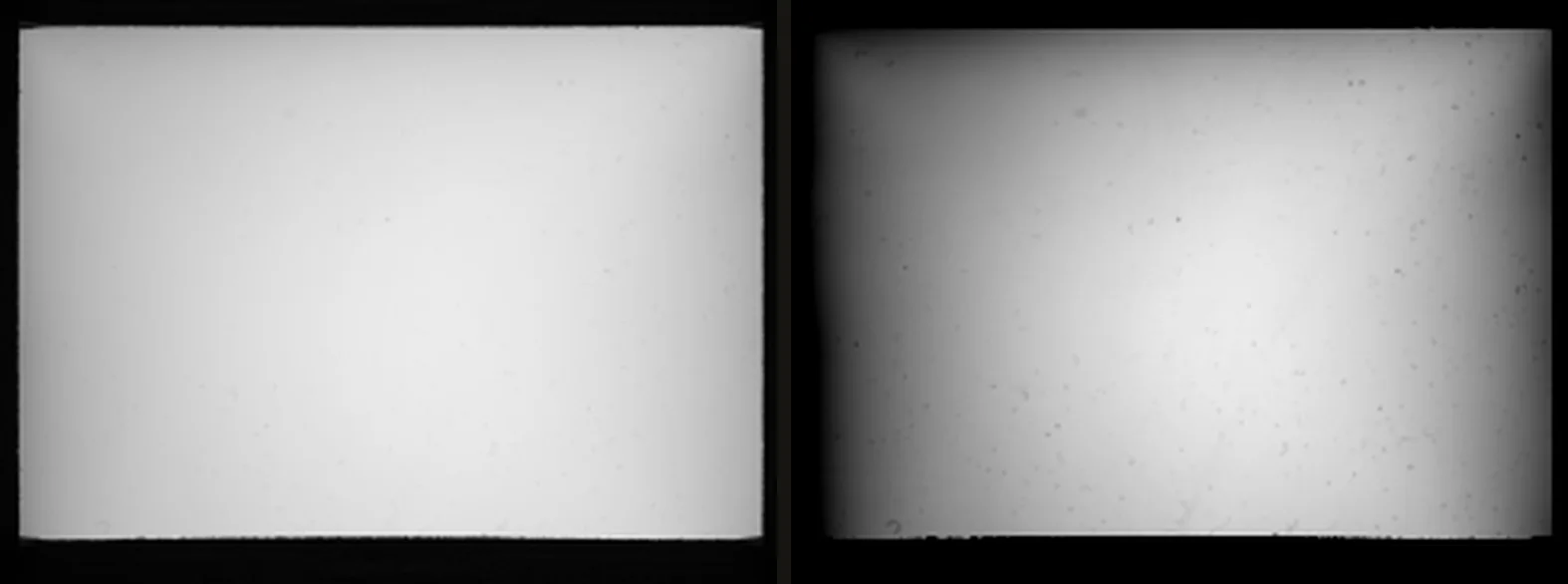
The three colours will not read alike, and that is normal. One broad light read through the camera's own colour filters cannot put all three in one window — green collects roughly twice what red and blue do — so only the brightest one is held to it.
Below 60 % you are throwing away signal-to-noise on every density the roll will ever produce. The top stops at 92 % rather than at the sensor's edge because lamps drift: one was measured moving 1.3 % between two consecutive exposures at the same setting.
Exposure#
Set it once, on the empty gate — never for the film. Put the camera in manual and find the setting with the film out, as above: the shutter speed, the ISO and the aperture that bring the empty gate inside the window. Then leave them, and the lamp, where they are. The bare-gate shots and every frame of the roll are taken on exactly those settings.
A frame shot on them looks dark on the camera's screen, and the camera's meter will call it underexposed. That is right: nothing in the holder passes more light than the empty gate, so once the gate sits under the ceiling, no frame on its settings can reach it — not the base, not the thinnest shadow. Expose for the film instead and the empty gate goes past the top, where nothing can be measured against it.
If the empty gate reads too bright, take light away — dim the lamp, or shorten the shutter or lower the ISO for every shot of the set — and shoot it again. Then shoot the roll on that new setting, not the old one: frames taken at other settings than their empty gate carry the difference into every density on the roll. MERGE warns when the shutter or the ISO differs; nothing can check the aperture, so that one is yours to keep.
1 · Set up the scanning program#
What the app wants is the scanner's own numbers, before the program's idea of a picture. Every density is computed from them, so a file that has been through a tone curve, an inversion or a colour conversion is no longer a measurement of the film — and no calibration recovers what it dropped.
| Setting | What you want |
|---|---|
| File | TIFF, one frame a file — or the program's raw DNG |
| Depth | 16 bits a channel (48-bit RGB) |
| Tone | Linear (gamma 1.0) |
| Film type | Positive — the app inverts, not the program |
| Colour | No colour management, no output profile |
| Levels | No auto-levels, nothing stretched channel by channel |
| Clean-up | No sharpening, dust removal, grain reduction or colour restoration |
Program by program:
- PakonScan — export Planar RAW. The linear 16-bit TIFF is read too; not the gamma + auto-level export, which levels every frame on its own.
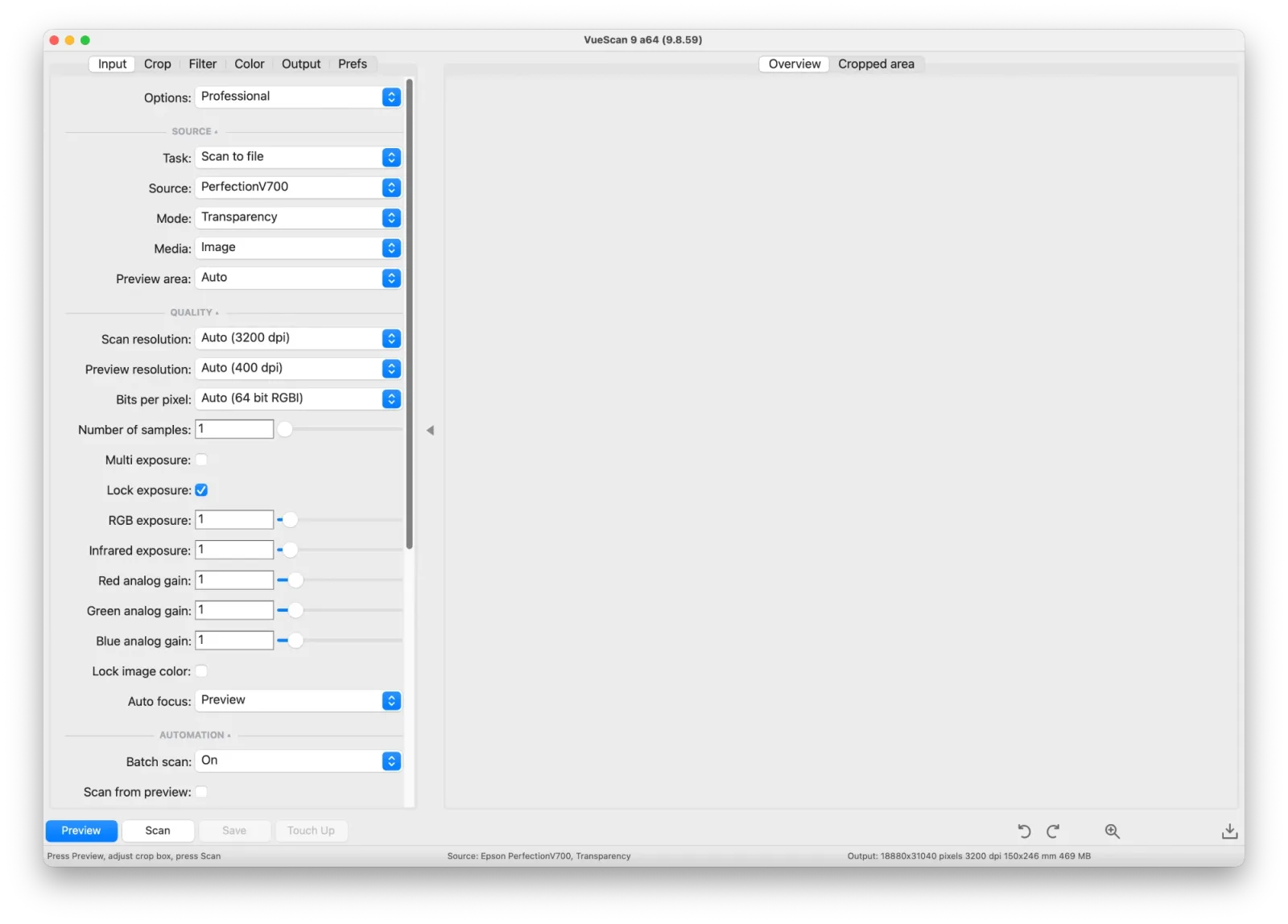
- VueScan — leave every setting at its default except these four. The raw file
and the exposure lock are in the Professional edition only.
- Input → Media: Image — never Color negative.
- Input → Lock exposure: ticked, with RGB exposure at 1 (step 2).
- Color → Color balance: Manual.
- Output: a raw TIFF — Raw file on, 48 bit RGB, raw output with Scan. For DUST REMOVAL, make it 64 bit RGBI instead: the infrared rides in the same file (step 3).
- SilverFast — the HDR / HDRi 48-bit export, with NegaFix, auto tone and colour management off.
- Epson Scan — Professional mode, Positive Film, 48-bit, No Color Correction, every adjustment off. Its tone curve has not been measured here, so on a V700 VueScan's raw file is the surer road.
Note
Menu wording moves between versions — these are the settings to look for, not a click path.
2 · Calibrate the rig#
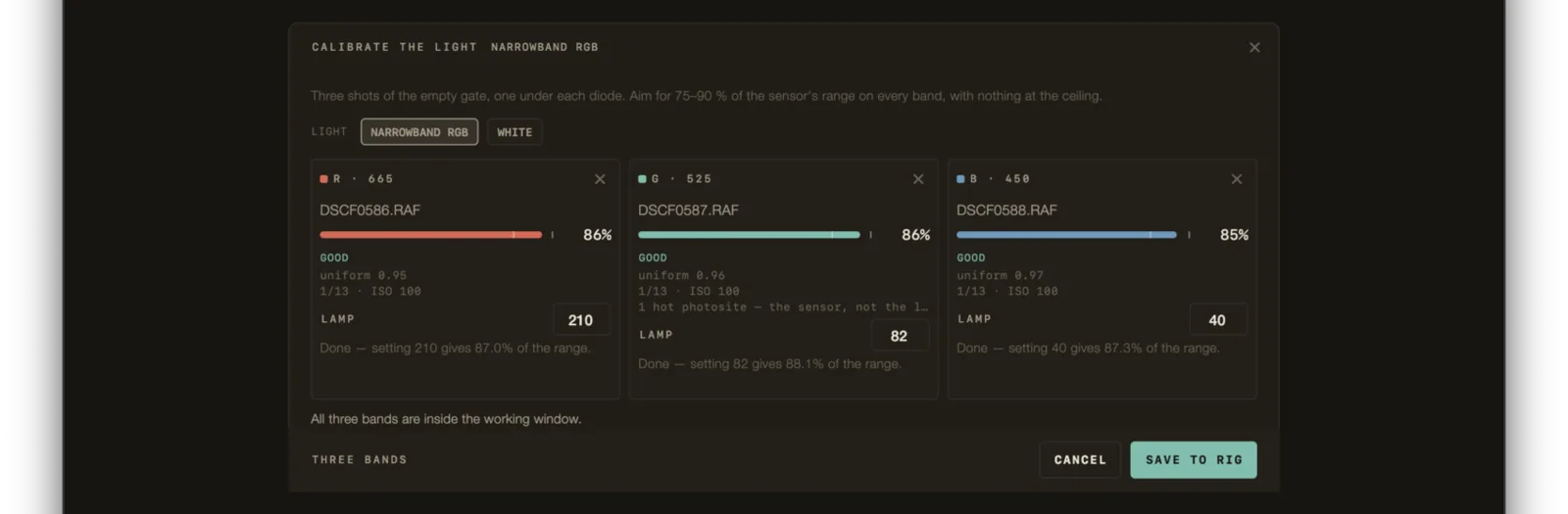
Drop the three empty-gate exposures into CALIBRATE THE LIGHT. Order does not matter and neither do the file names — the band is read out of the image itself.
Important
All three on the same shutter and ISO. A set split across two shutter speeds carries about 90 counts of error into every density on the roll while looking perfectly ordinary — which is why the app refuses to save one.
You do not need GOOD on all three to save. What it insists on is three bands, all
of them actually flats, all on one exposure. A dim flat is a true picture of a dim
light; refusing it would leave the roll with no denominator at all.
Type the lamp settings in while you are there. It is the one number in the whole measurement that cannot be recovered later — the level comes off the pixels, the exposure off the file, the band out of the image, but where the knob was is only ever knowledge from the room.
Open CALIBRATE THE LIGHT, set LIGHT to WHITE, and drop the one empty-gate exposure in. The file name does not matter.
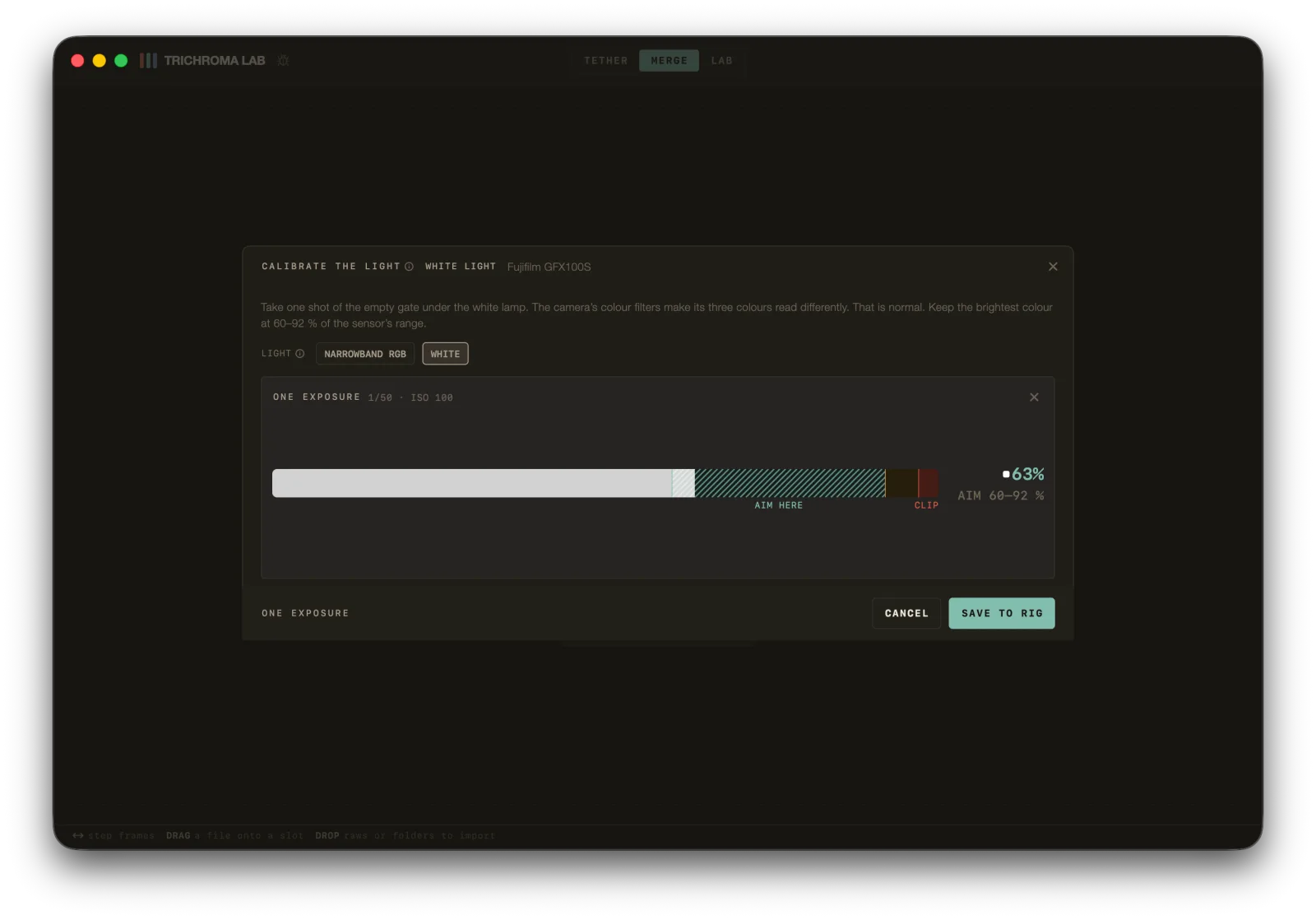
The bar runs to the brightest colour the shot produced. Its end belongs inside the hatched AIM HERE window, clear of CLIP; the level is printed large beside it, with the window under it.
Important
The sheet prints the shutter and ISO the shot was taken at. Shoot the roll on the same: every density is divided by this light, and a frame taken at another setting carries the difference into all of them. MERGE names any frame that does, with the stops between them.
2 · Lock the exposure#
Set the exposure once and lock it for the whole roll. In VueScan that is Input → Lock exposure, ticked in the picture above, with RGB exposure at 1; in another program, preview a typical frame, set it, and lock it. Left to itself the program sets every frame anew, and then no one base fits the roll.
Leave headroom in red. The clear film between frames has to stay under the top of the file — under about 52 000 of 65 535 — and red is the channel the mask lets through most, so it burns out first. A base on the top of the file reads as no base at all.
Tip
There is no empty gate to scan and no flat to shoot. A scanner's densities are read against the top of its own file: 65 535 for a 16-bit TIFF or DNG, 16 383 for the Pakon's planar RAW.
3 · Shoot the roll#
Three exposures per frame, one per band, without moving the camera or the film between them. Manual exposure throughout, on the shutter, ISO and aperture of the bare-gate shots (Exposure).
Shoot three bare-gate frames with every roll and import them along with everything else. It costs about ten seconds.
One exposure per frame, on one shutter and ISO — the same as the bare-gate shot, aperture included (Exposure). Manual exposure throughout.
Shoot one bare-gate frame with every roll and import it along with everything else. It costs a few seconds.
Tip
A rig calibration is right until the lamp, the lens or the aperture changes — and silently wrong afterwards. Flats shot beside the roll are the only ones that saw the same light the frames did, and they win wherever they exist.
You do not have to name anything. Drop the whole folder in. Which three
exposures belong to one frame is worked out from filenames, capture time and shot
order — and from the pictures themselves, because a red-filtered negative
measures nothing like a blue one. DSCF0001.RAF through DSCF0042.RAF straight
off the card is a roll the app can read.
Which band a file is comes from the image alone, never from its name. A name is typed by hand and has been wrong.
If you would rather make it certain: one folder per channel, or _R _G _B in
the filename. Neither is required — they only shorten the work the grouper does.
You do not have to name anything. Drop the whole folder in. Under white every file is a frame, and the bare-gate shot is found by what it shows — the lamp and nothing else — never by its name.
3 · Scan the roll#
Every frame on the locked setting, one file a frame. Put every strip in the same way round: a strip turned in the holder comes out turned from the rest, and has to be turned frame by frame in LAB.
Clean the film first. If you want, the app can take out what dust is left, with the infrared the scanner saves beside the colour: in VueScan, the raw file as 64 bit RGBI (step 1). In Pro, SET UP THE ROLL then offers a Dust row — OFF · LIGHT · NORMAL · STRONG — before the roll is processed, and afterwards DUST REMOVAL sits in LAB, on the third tab of the left rail — the viewfinder. Press another strength there and the roll runs again with it.
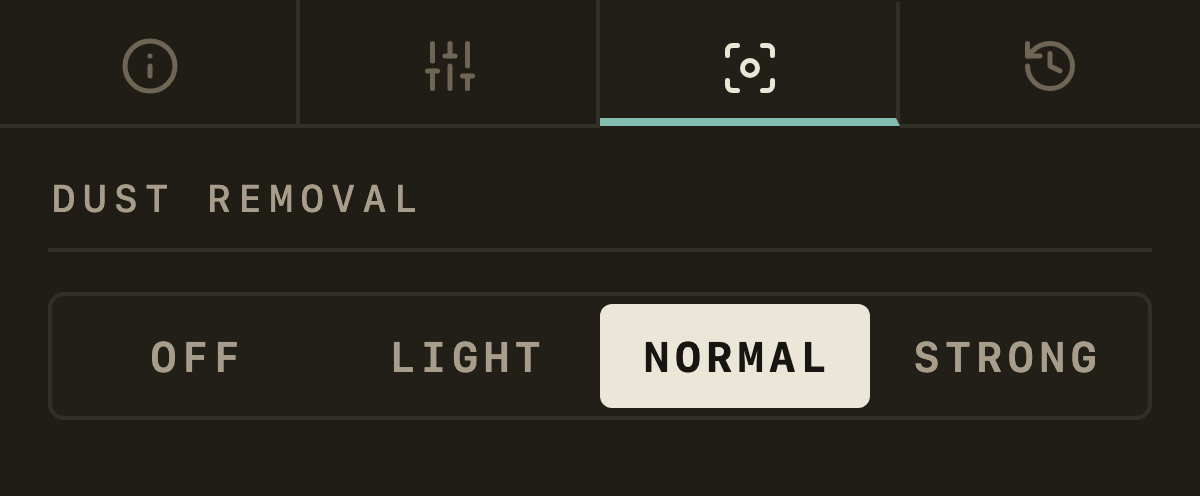
Not on silver black-and-white film, where the silver blocks the infrared as dust does. Without an infrared channel nothing in the app removes dust: DUST REMOVAL then says This roll keeps no infrared, and the way out is to process the roll again from scans saved with their infrared — scanning it again first if they have none.
You do not have to name anything. Drop the whole folder in: every file is a frame.
4 · Import#
Drop the lot into MERGE. The flats are found and lifted out of the roll before grouping, because three bare-light exposures shot seconds apart look like a perfect frame to the grouper and would otherwise be graded and exported like one.
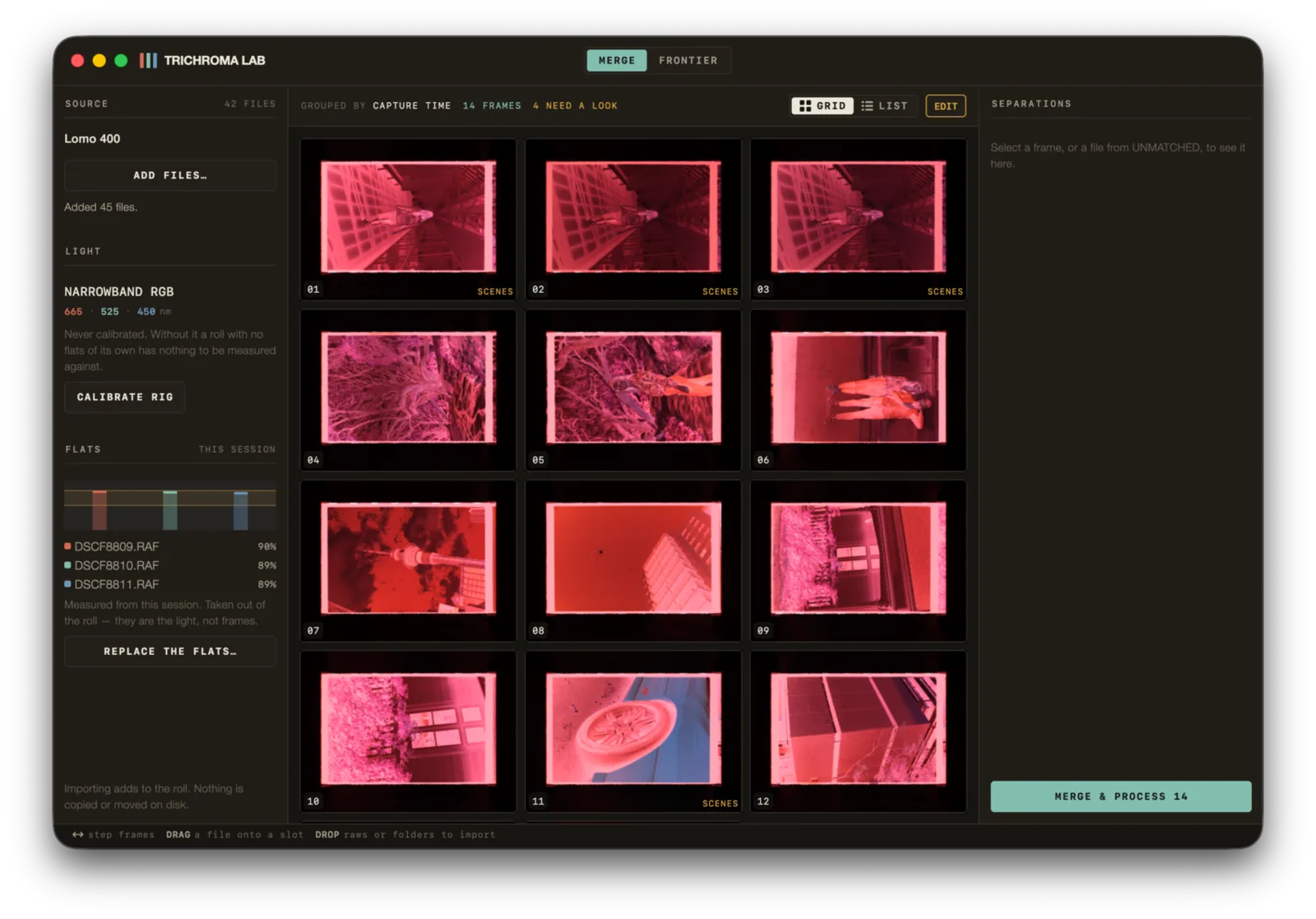
Four things to check before processing:
| Check | What you want |
|---|---|
| One roll | Only this roll's files — a roll is graded from one base |
| Frame count | What you dropped in, minus the flats, divides by three |
| Flats panel | Three files named, with their levels |
| Separations | Click a frame — the same picture in three different densities |
In MERGE, set LIGHT to WHITE LIGHT ×1 first — the files are grouped under it as they come in — then drop the lot in. The bare-gate shot is found and lifted out of the roll, so it is never graded or exported as a frame.
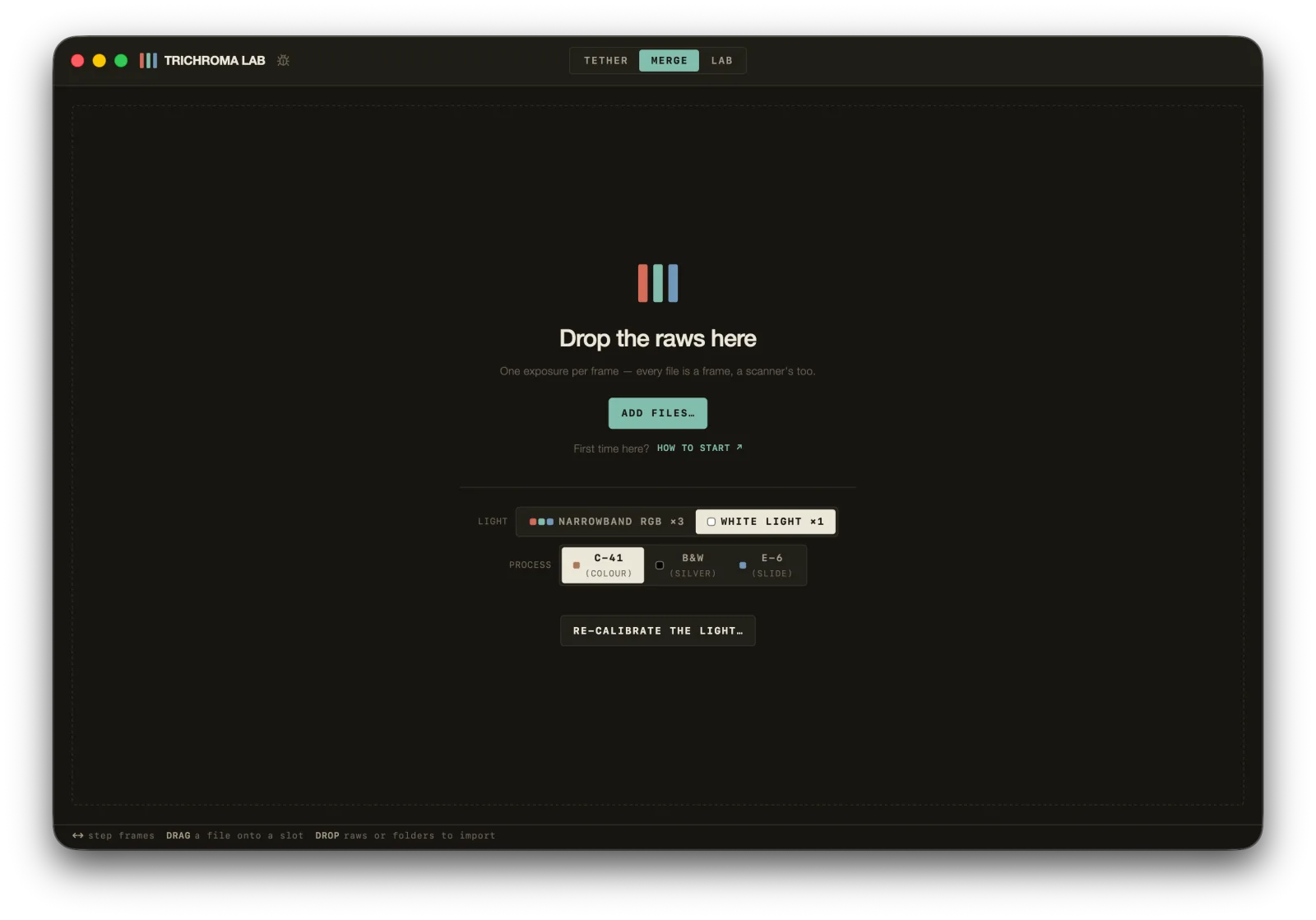
Three things to check before processing:
| Check | What you want |
|---|---|
| One roll | Only this roll's files — a roll is graded from one base |
| Frame count | What you dropped in, minus the bare-gate shot — one file is one frame |
| White flat panel | One file named, its bar inside AIM HERE |
Drop the scans into MERGE. You do not set LIGHT: a scanner's files put the roll on white light, one file a frame, and the grid's caption reads WHITE ×1. In place of the rig and its flats, the left rail shows STATION — the scanner and program that made the files.
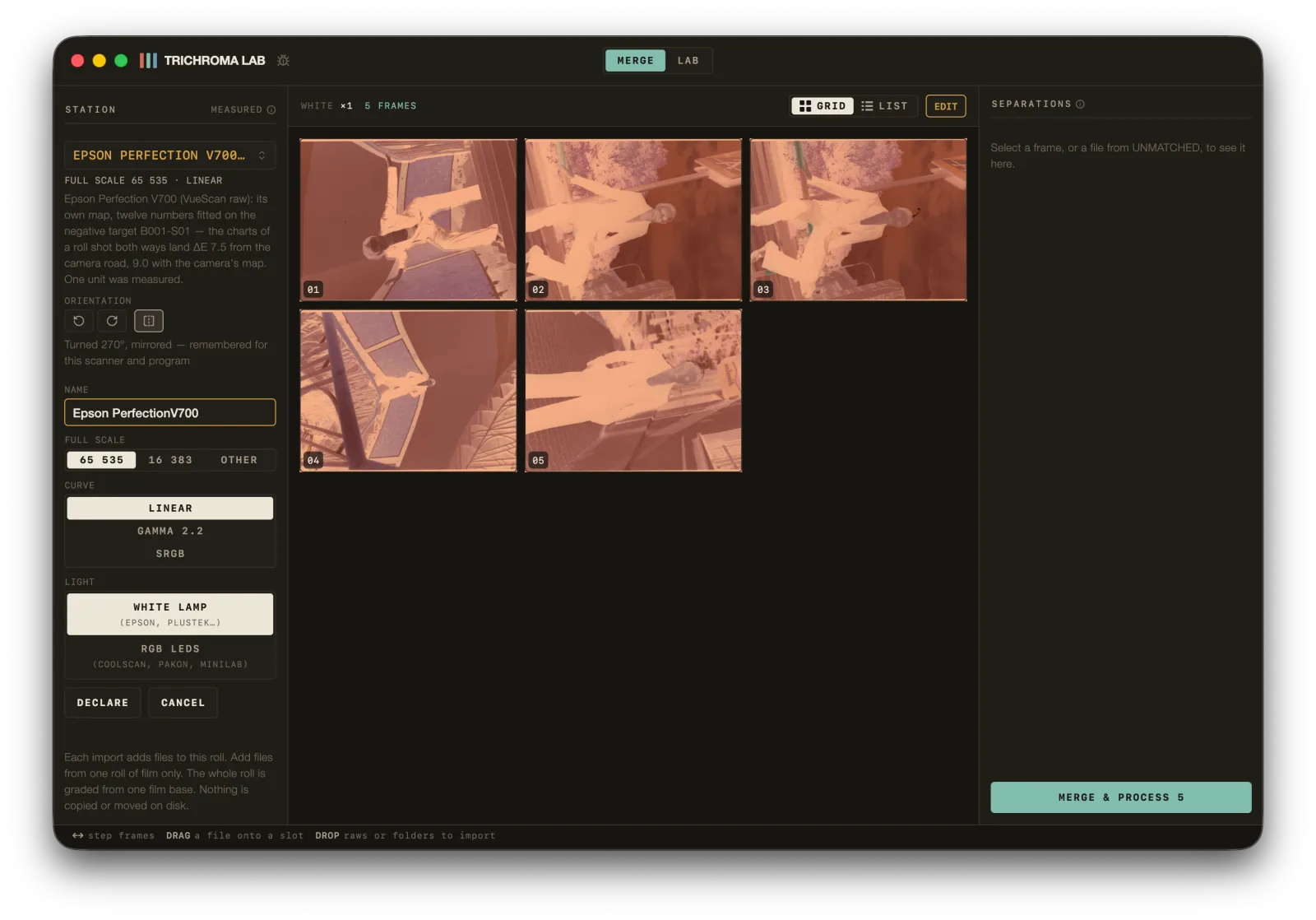
| Your files | What to do |
|---|---|
| Pakon planar RAW | Nothing — only the Pakon's TLX writes one, so the file names its station |
| Epson or Reflecta through VueScan, or SilverFast's DNGs | Nothing — they take a station by themselves |
| PakonScan's linear TIFF | Choose RGB LED scanner once; the untagged rolls after it follow |
| Anything else | CHOOSE A STATION — or declare a scanner… there, once per scanner and program |
For one roll and no more, answer FULL SCALE, CURVE and LIGHT on the panel itself: nothing is remembered. MERGE & PROCESS waits until the roll has a station.
The word beside STATION says how the app knows the scanner's colours: MEASURED on that scanner model, DECLARED as RGB LEDs, or BORROWED from the scanners measured here — expect a cast there, worst in red and on saturated colour. An Epson other than the V700, or a Reflecta other than the RPS 10M, borrows. A SilverFast roll binds by itself only while every file in it is a DNG.
ORIENTATION, on the same panel, is set once for the scanner and program: every frame of the roll is born turned that way.
Three things to check before processing:
| Check | What you want |
|---|---|
| One roll | Only this roll's files, from one scanner and one program |
| Frame count | What you dropped in — one file is one frame |
| Station | A name, with MEASURED, DECLARED or BORROWED beside it |
5 · Mark the base area#
Mark the negative and the clear border around it. Leave the black holder outside the box.
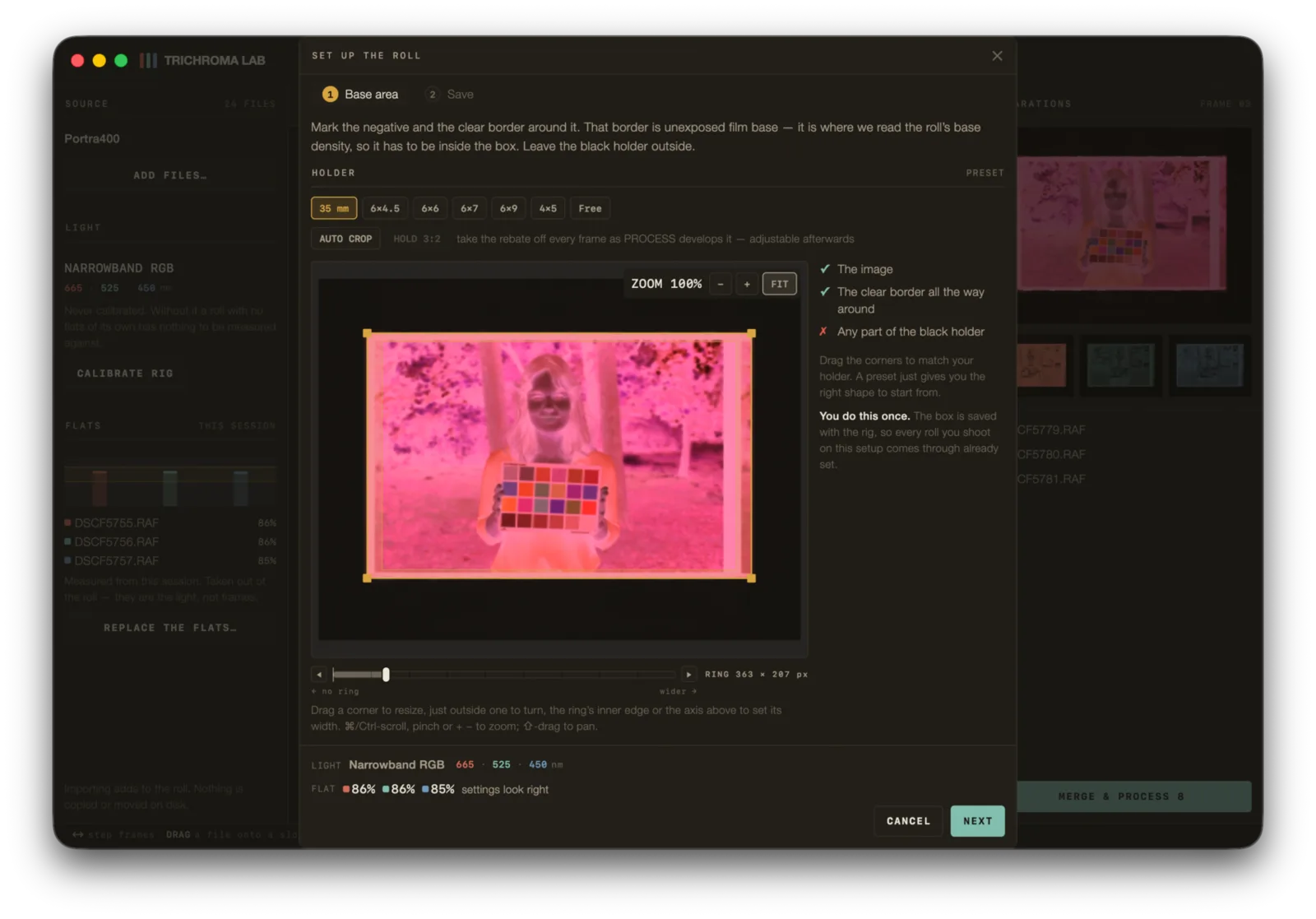
SET UP THE ROLL opens on the whole scan, and the box only says where the base is read: the ring round its edge, on the rebate or the gap between frames where the scan kept one. Pull it in past anything that is not film — a holder or a mask the scanner caught. Where the scan kept no rebate at all — a Pakon frames the picture itself — the roll stands on its brightest point instead.
Then Emulsion: pick the film you shot. A scanner has no empty gate, so the base comes from the film table and from the rebate, where the scan kept one. Not on the list? Leave it on Unknown emulsion. The sheet ends on PROCESS N FRAMES · SCANNER.
Caution
A sliver of black holder inside the box makes the base read too dense. The whole roll then grades wrong, every frame still looks plausible on its own, and no later correction recovers it. When in doubt, pull the box inward — inward costs precision, outward costs the truth.
You do this once per holder. The box is saved with the rig, so every roll on that setup arrives already set.
Watch the ring — the strip between the box edge and the picture. The sheet prints it in pixels because that is the one unit meaning the same thing on every holder. A ring closed to nothing and remembered once refused every frame of a 41-frame roll while reporting it as a problem with the pixels.
6 · Read the prescan#
Three densities, always rising: red, green, blue. That rising order is the orange mask, and three densities not in that order are refused, because they cannot be a colour negative's base.
Two numbers worth reading rather than skipping:
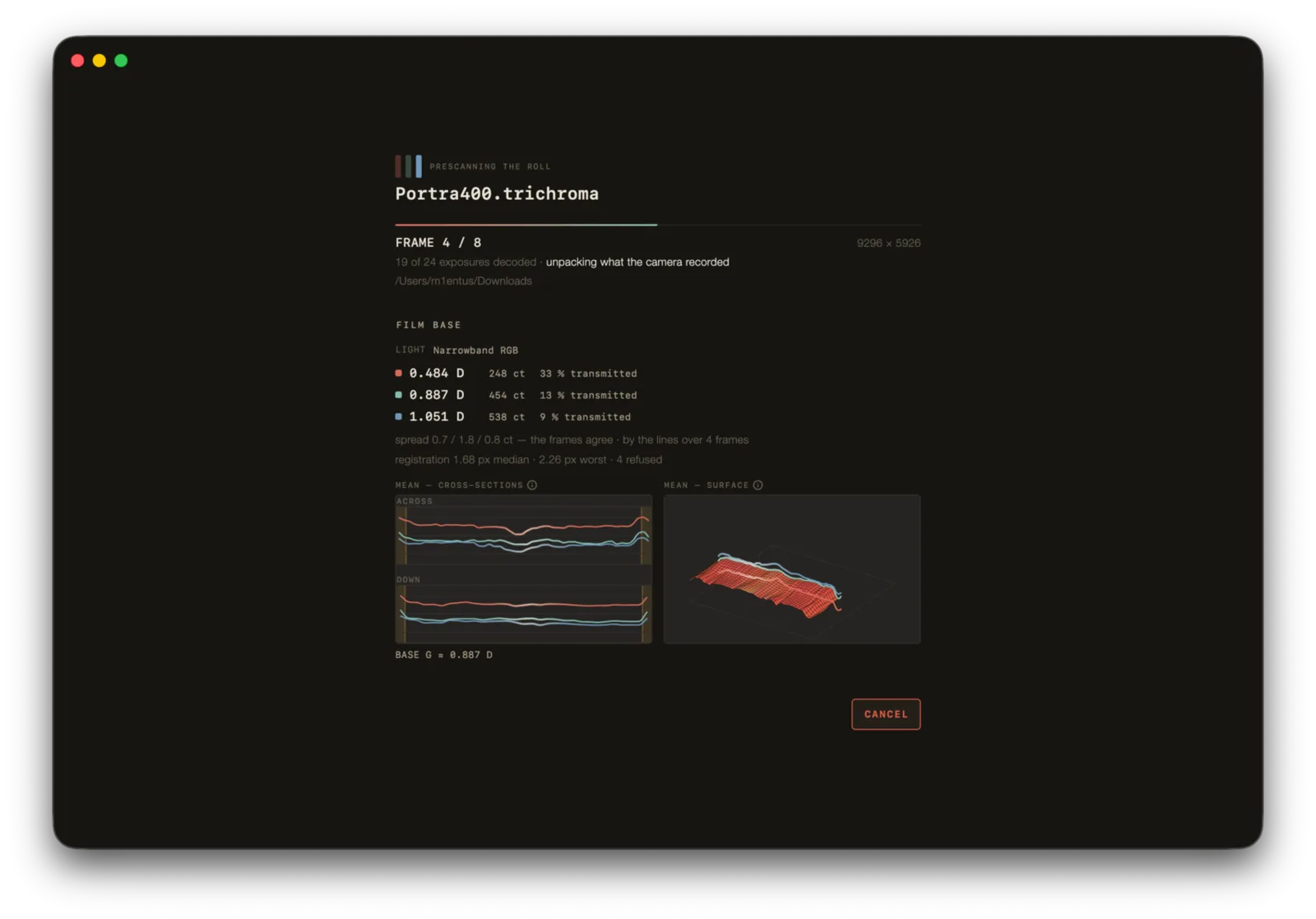
- The spread. Film base is constant within a roll, so every difference between frames is error, not variation. The app calls the frames agreeing when every channel is within 10 counts.
- The registration. Median and worst drift between the three separations, in pixels, plus how many estimates were refused. A refusal changes nothing — the app leaves the pixels alone and says why.
One number worth reading rather than skipping:
- The spread. Film base is constant within a roll, so every difference between frames is error, not variation. The app calls the frames agreeing when every channel is within 10 counts.
There is no registration line under white: one exposure per frame has no separations to line up.
One number worth reading rather than skipping:
- The spread. Film base is constant within a roll, so every difference between frames is error, not variation. The app calls the frames agreeing when every channel is within 10 counts. Frames that read another base are named — the mark of an exposure the program set frame by frame: lock it, and scan the roll again.
Two alarms belong to the scan rather than the film: CLIPPED and BASE AT THE TOP, each with the channel it hit — red, as a rule. Both end in RESCAN AT A LOWER EXPOSURE: lower the exposure in the scanning program, lock it, and scan again.
7 · Grade#
In LAB, four axes — D density, C, M, Y — in both rails. The left rail is the whole roll. The right rail is the frame you are looking at.
Right-click anywhere on the right rail to choose its panels — EVERYTHING, or DENSITY AND COLOUR ONLY when the four axes are all a roll needs.
Grade the roll first, the frames second. The roll-wide axes are the ground every frame is judged against, and they render live — nothing is re-measured when you move them. A frame renders as its own four numbers plus the roll's.
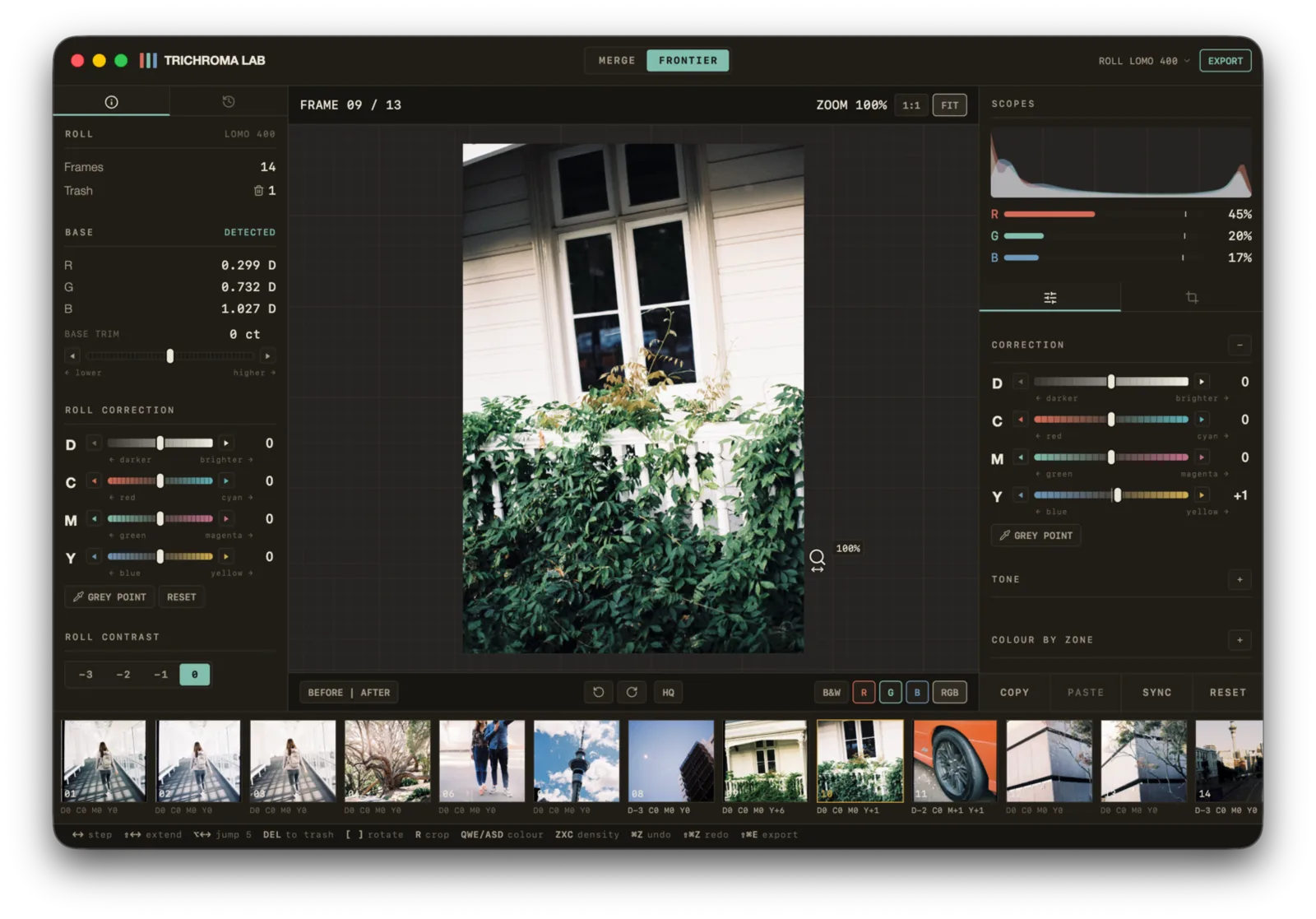
Two things that surprise people:
- +D is brighter, not darker. The printing convention is deliberately inverted, and Settings turns it round if you came from a printer.
- Hold BEFORE and it strips this frame's rows, never the roll's. What it means is: this frame, before I touched it.
Base trim is a different animal — it moves the measured base itself, so it re-measures the whole roll and waits for APPLY rather than acting as you drag.
LAB's RIG header wears the station's word — MEASURED, DECLARED or BORROWED — in place of the flats.
8 · Export#
Four formats, and the shape of the list is an honest statement about the machine rather than a product decision:
| Format | What it is |
|---|---|
NEGATIVE |
16-bit linear, no profile — for another converter |
TIFF |
16-bit sRGB, about ten and a half real bits, profile embedded — 8-bit when the colour chain is AS SCANNER |
PNG |
lossless like the TIFF, at 8 or 16 bits |
JPEG |
8-bit sRGB, profile embedded |
A TIFF positive is sixteen bits by default. That is not sixteen measured bits: the colour chain keeps about ten and a half real bits of tone, and an eight-bit file would round them away. AS SCANNER — the colour chain's eight-bit choice on the PREVIEW tab of SETTINGS — rounds at ten bits and writes eight-bit TIFFs. The negative carries no profile on purpose — it is transmittance counts, not a colour space, and stamping sRGB on it would tell every converter downstream to apply a transfer function to numbers that never had one.
Sizes are develop widths rather than resizes, so a smaller export is genuinely cheaper. One warning on that sheet is worth reading: sharpening reaches are in pixels, so a full-resolution export sharpens differently from the canvas you judged it on.
The AS SCANNER colour chain above is a choice on the PREVIEW tab of SETTINGS, not a setting for scanner files: a roll of scans exports like any other.
When it refuses#
| It says | Do this |
|---|---|
| Not an empty-gate exposure — this looks like a frame | A frame reached a flat well. Take the film out |
| Clipped past measuring | Cut the light by about a third |
| Photosites at the ceiling | Take light away with the lamp, or with the shutter or ISO of the whole set, and shoot it again. Shoot the roll on that setting too |
| These were not all shot on the same shutter and ISO | Re-shoot the set on one exposure |
| Running off the film | The base area reaches past the film's edge — pull the box in |
| The base area is on the holder, or the film is fogged or dense | Both causes are named because both happen. Check the box first |
| It says | Do this |
|---|---|
| This TIFF is 8 bits a channel | Export 16-bit (48-bit RGB), linear, with colour management off |
| Stored in tiles, JPEG-compressed, greyscale | Export an ordinary 48-bit RGB TIFF in strips, uncompressed or LZW |
| Auto-levelled frame by frame | Export linear, with no auto-level |
| No station matches these files yet | CHOOSE A STATION, declare the scanner there, or set FULL SCALE, CURVE and LIGHT for this roll |
| Files from N sources · Two kinds of scan in one roll · Two instruments in one roll | One scanner, one program and one kind of file a roll — take the strays out |
| RESCAN AT A LOWER EXPOSURE | Lower the exposure in the scanning program, lock it, scan again |
| The frames read more than one base | Lock the exposure and scan the roll again |
| This roll keeps no infrared | Process it again from scans saved with their infrared channel (VueScan: 64 bit RGBI) |
| Running off the film | The base area reaches past the film's edge — pull the box in |
| The base area is on the holder, or the film is fogged or dense | Both causes are named because both happen. Check the box first |
If every frame refuses as denser than any film base and the readings agree with each other, the film is probably fogged. The app recognises that: it refuses the base outright and grades the roll without one, which is what a lab scanner does with the same film.
Where the reasoning is#
Everything above is the what. The manual carries the why — how the base is measured and why it has to be, why the lamp's window is where it is, what the rebate is for, and the mistakes that have actually been made on this bench, each with what it cost. Ask on Discord for any of it.
The manual was written for a camera on a copy stand and does not cover scanner files yet: what step 1 asks of the scanning program, and why, is all on this page.