Coming from Negative Lab Pro
A Negative Lab Pro alternative that needs no Lightroom.
Negative Lab Pro converts colour negatives inside Lightroom. Trichroma Lab is standalone camera scanning software that develops them — from three narrowband RGB exposures, or from one under white light.
They are different tools for different rigs, so this page sets out what differs rather than which is better. What it says about Negative Lab Pro comes from its own website.
| Negative Lab Pro | Trichroma Lab | |
|---|---|---|
| What it is | A plugin for Lightroom Classic, or Lightroom 6.14 | A standalone application |
| Runs on | Mac or Windows, inside Lightroom | macOS 14+ and Windows 10 22H2+ |
| Three narrowband RGB exposures | Not described in its scanning guide | Grouped into frames by itself, laid over each other to a quarter of a pixel, the film base measured per roll |
| One white-light exposure | What its scanning guide sets up: a daylight-balanced light of CRI 90 or more | Supported: you name the film from a table of twenty |
| Free trial | The full program, 24 conversions | 14 days and 15 rolls, everything on, no account |
| Price | $99 USD, on up to two computers you own | Personal by the month, the year or for life; Pro by the month or the year — see pricing |
The same negatives, through both.
Four frames, each converted in both programs and cut to one window. On the first three both were given the same file: one white-light raw from a Fujifilm GFX100S. On the fourth they were not — Negative Lab Pro had an Epson V700 flatbed scan of the negative, Trichroma Lab a camera capture of it.
Both were finished by hand, the way you would finish a roll: Negative Lab Pro inside Lightroom Classic, with its white balance, a look and, where a frame wanted it, a brightness correction; Trichroma Lab with its FRONTIER look under white light and the corrections each frame was saved with. Neither half is a default conversion. Both exported 16-bit TIFFs; each pair was laid onto one grid and written at the same size and quality.
Kodak Portra 400
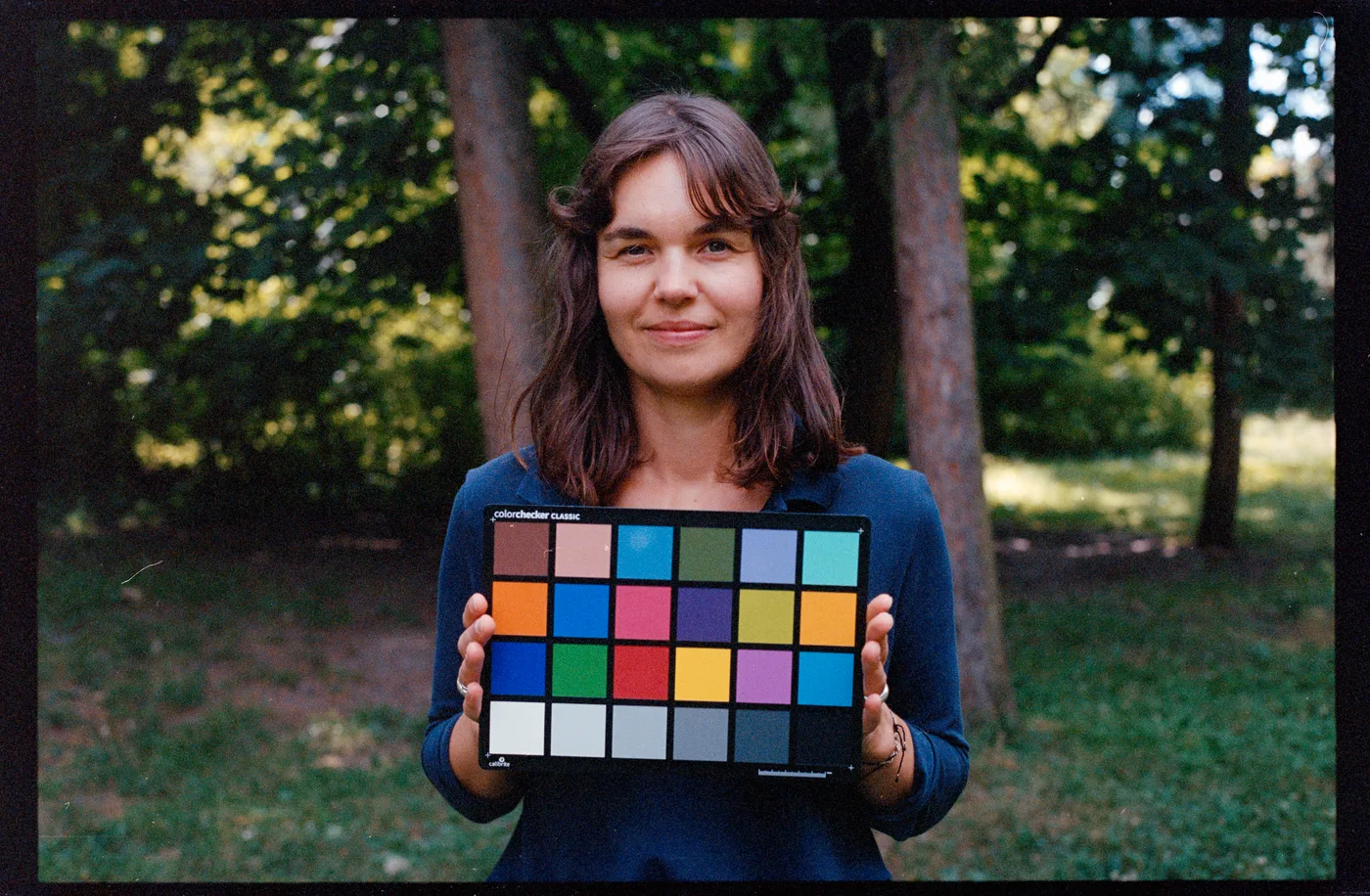
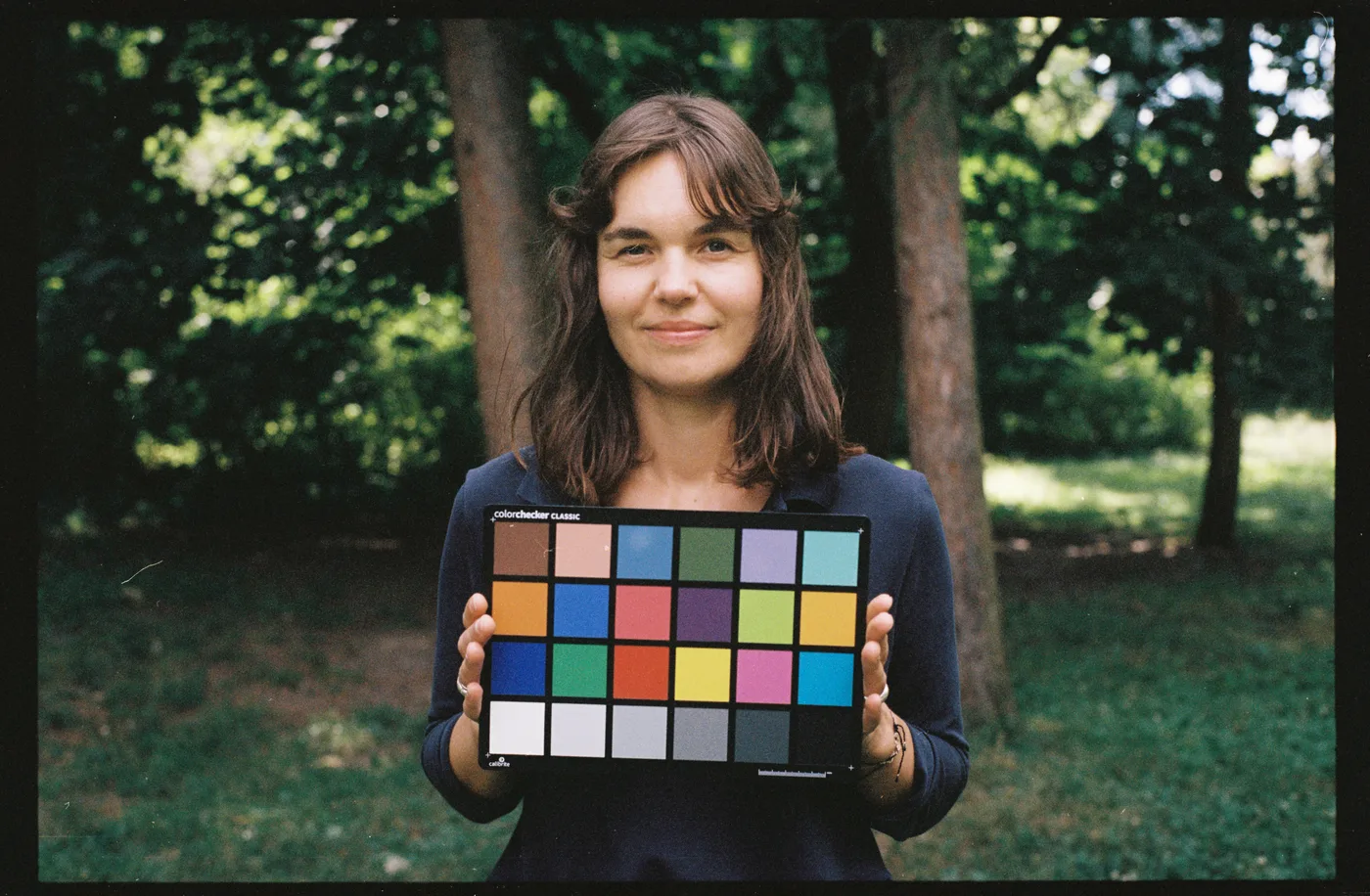
Same raw · Fujifilm GFX100S · white light
Kodak Portra 160
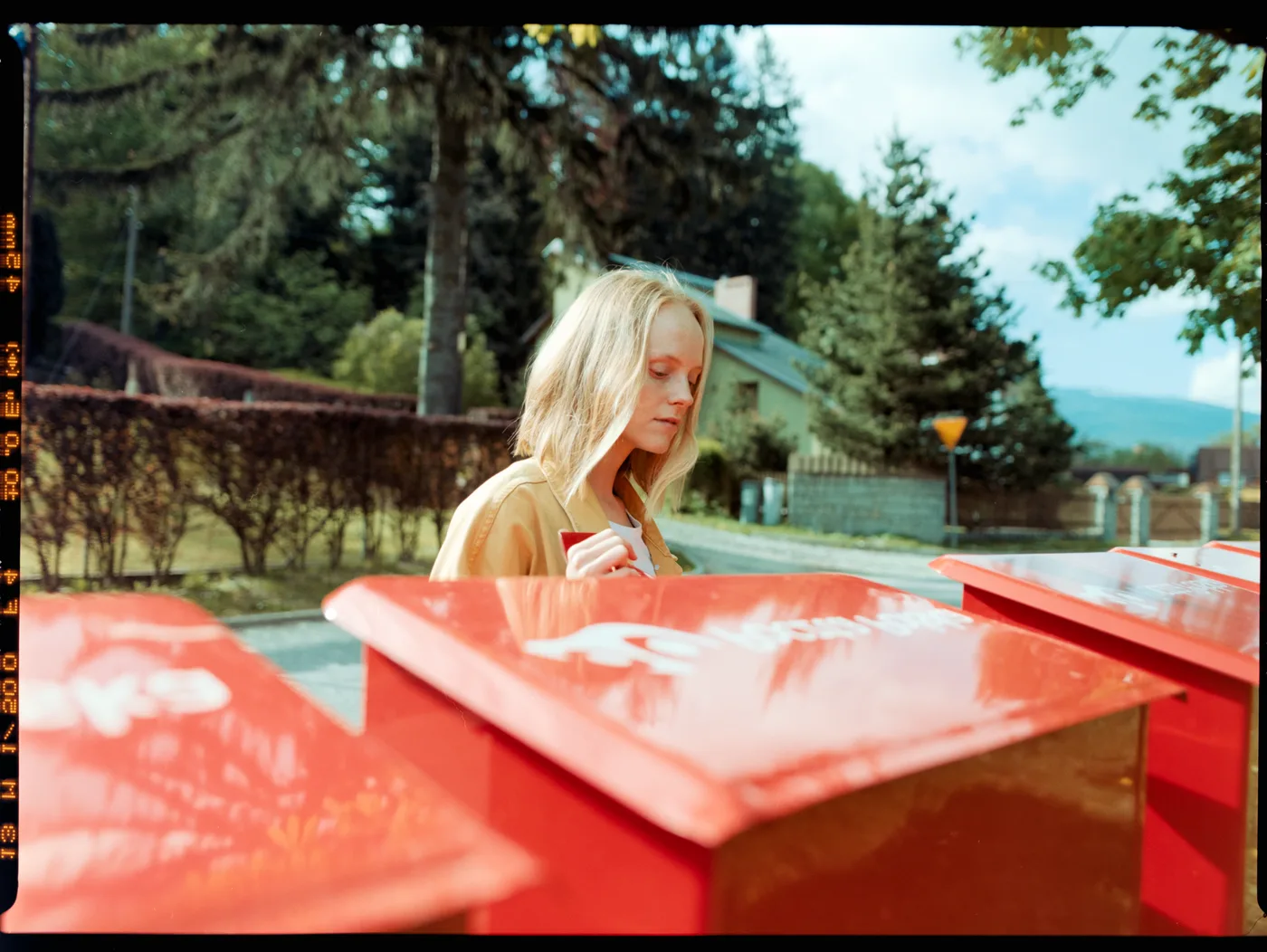
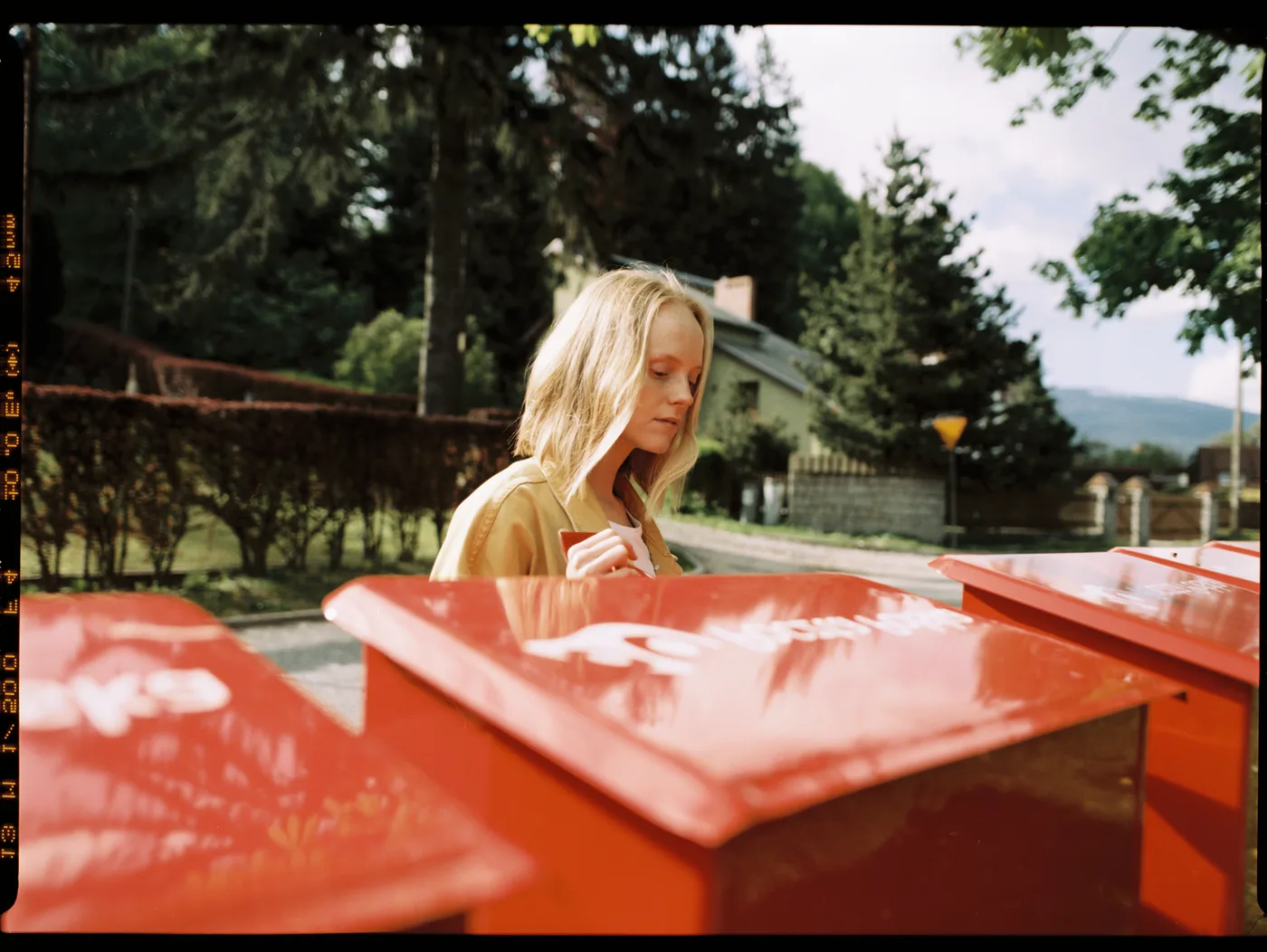
Same raw · Fujifilm GFX100S · white light
Kodak Portra 800
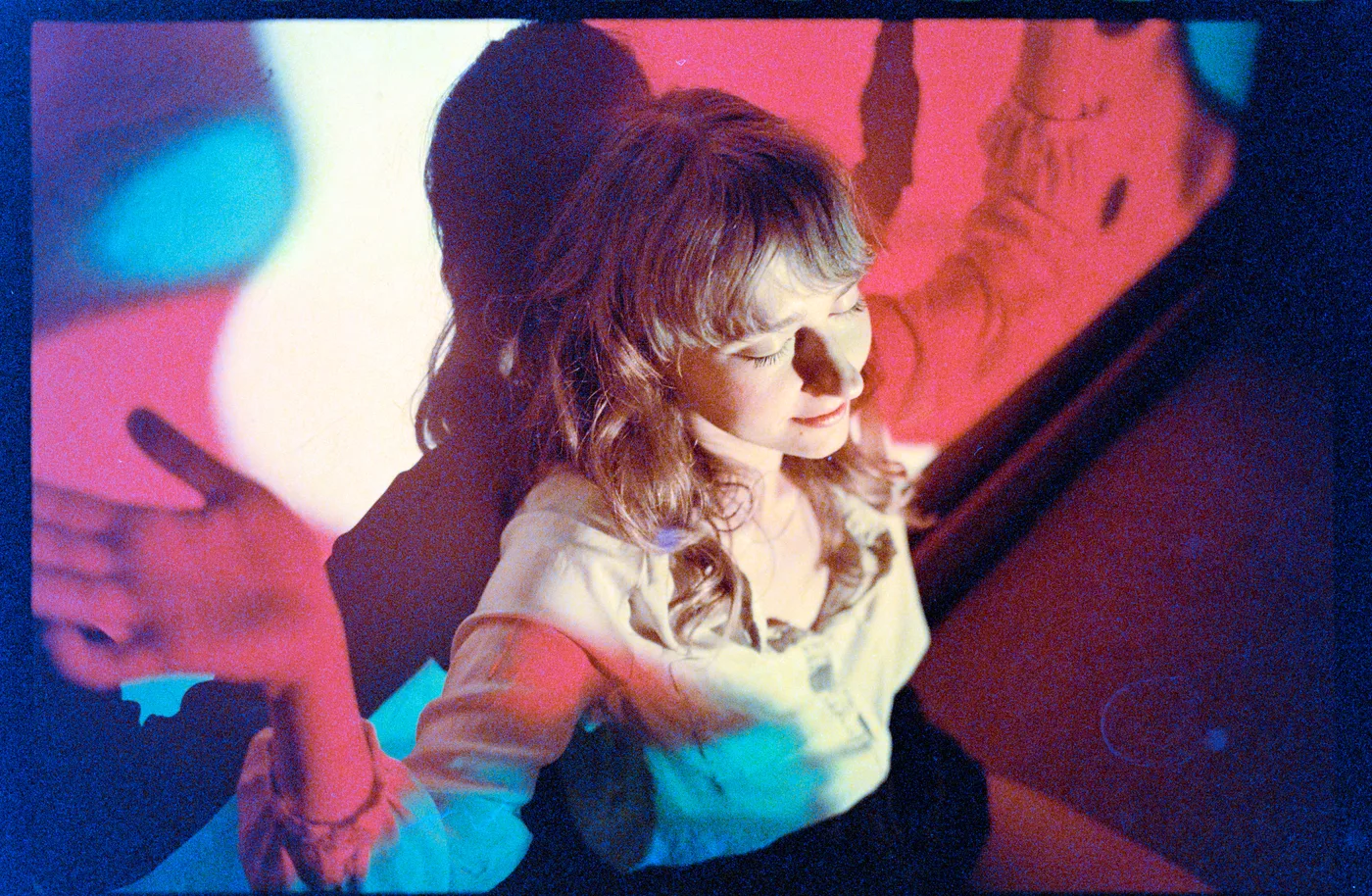
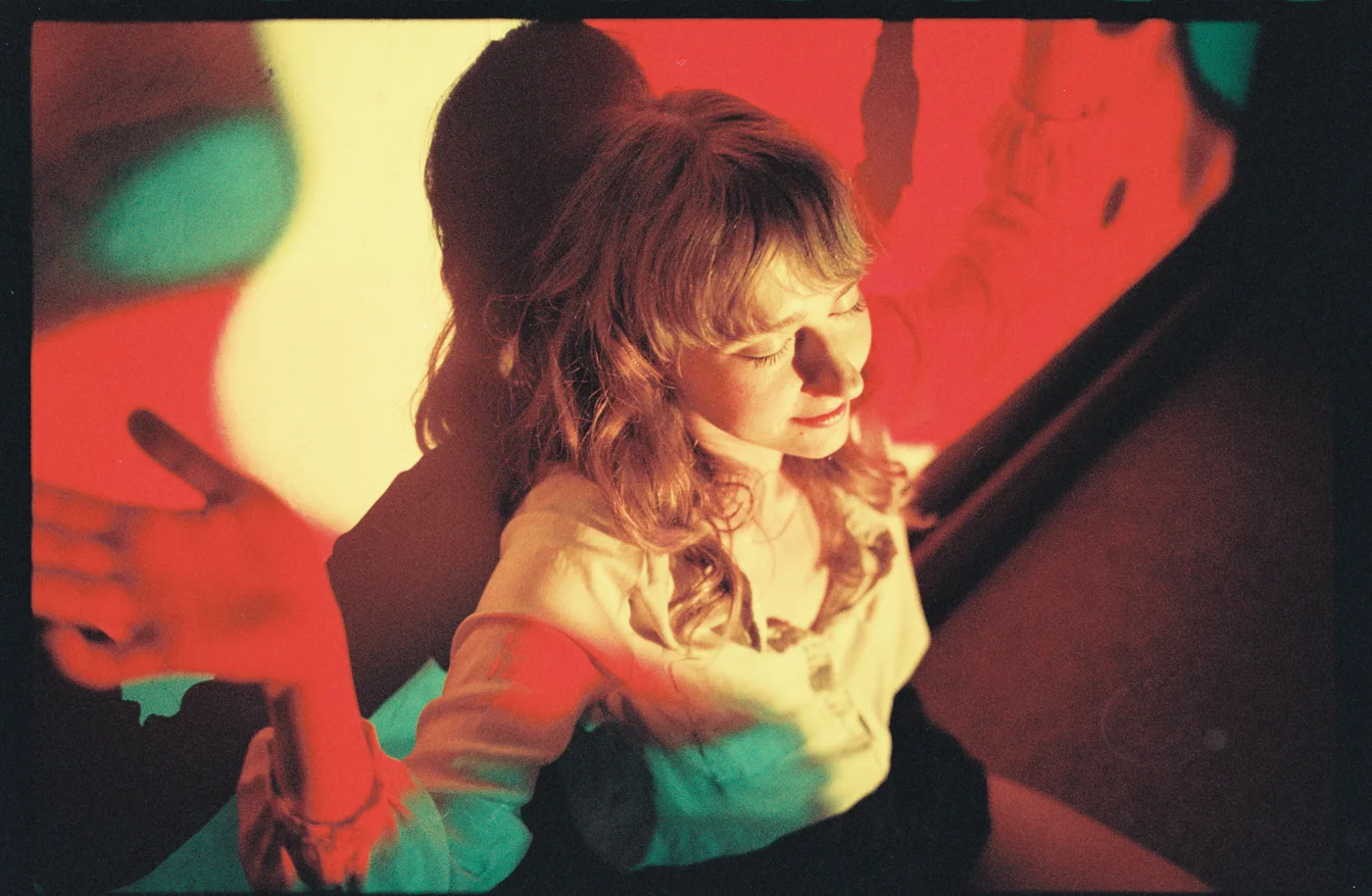
Same raw · Fujifilm GFX100S · white light
Kodak Gold 200
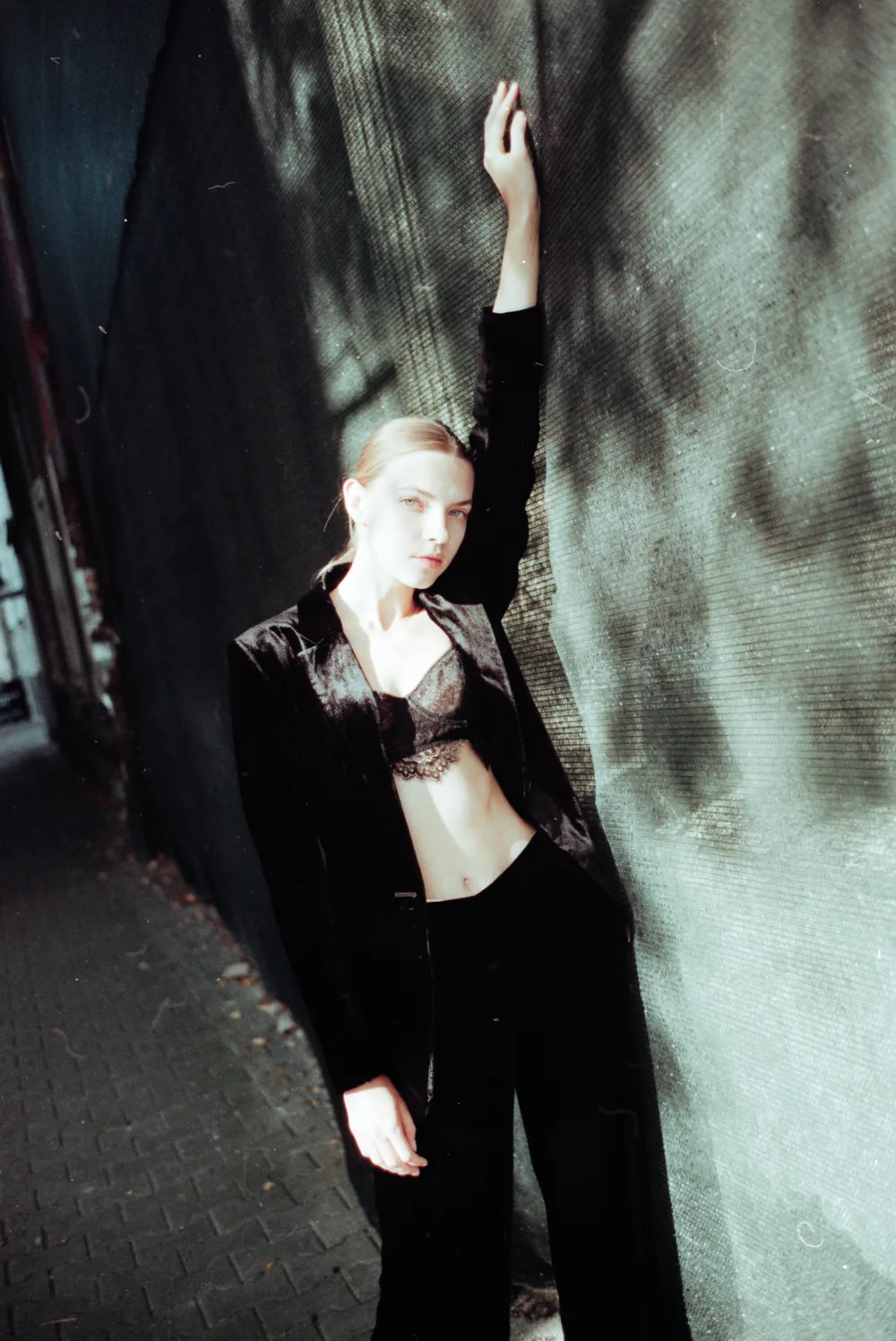
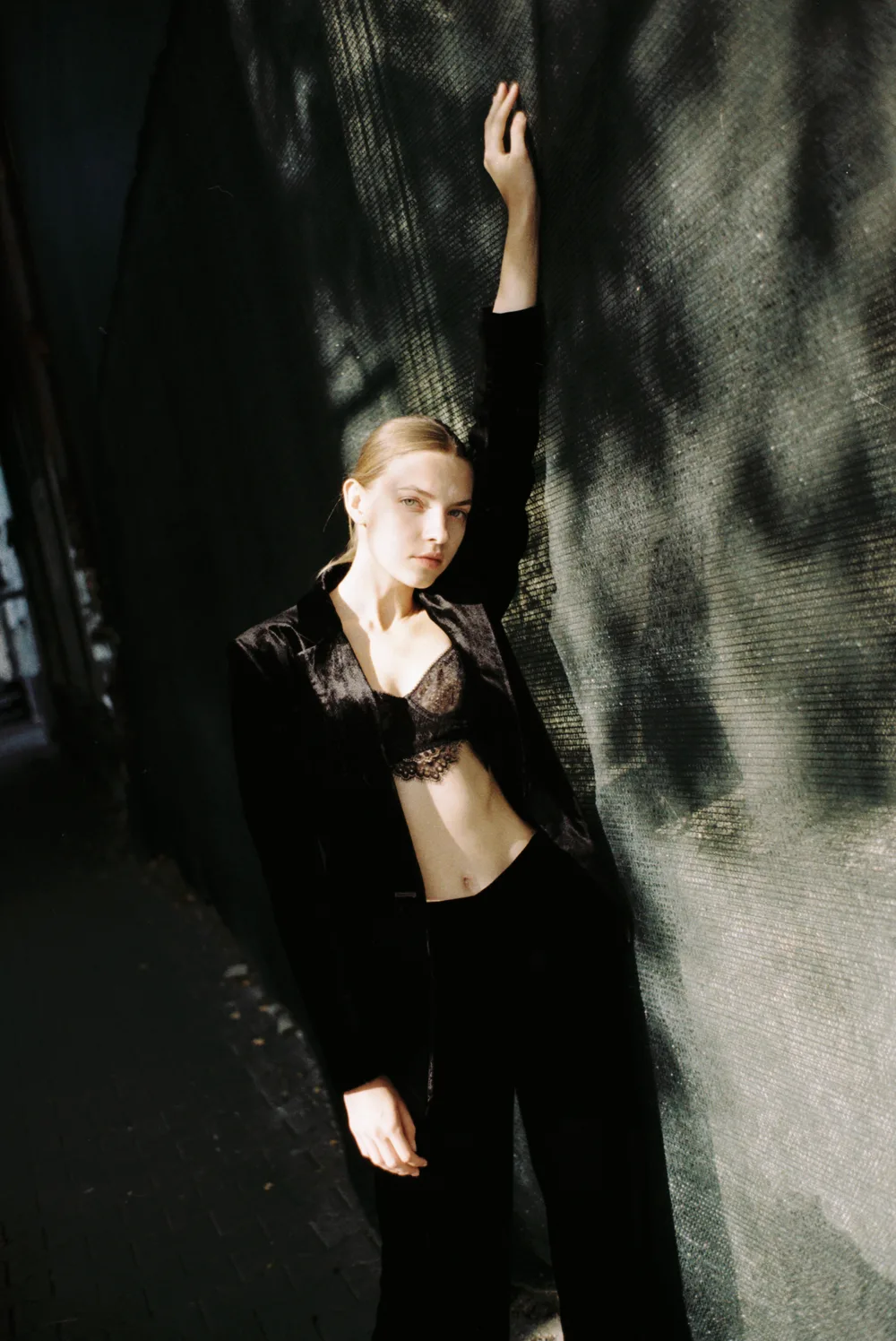
Two inputs · Negative Lab Pro: an Epson V700 scan · Trichroma Lab: a GFX100S capture under white light
Where Trichroma Lab is different
No catalogue. A roll is a single .trichroma file that keeps its own copy of the sensor data it needs, so it opens, re-renders and exports without your raws — and the raws you import are never moved or changed. What you export is yours, in open formats: a TIFF, a PNG, a JPEG, or the negative itself as a linear 16-bit TIFF for another converter.
Three narrow bands as the way in. Shoot every negative once under red, once under green and once under blue, and each exposure measures one dye layer and almost nothing else. Import the files in any order; the app works out which three belong together. A narrowband lamp can also be shot in one exposure under all three diodes, and a film scanner's own files come in too.
One measurement per roll. The film base is measured off the clear rebate around each frame, per roll, in density — then the whole roll is graded against it, so the roll agrees with itself.
A lab's pipeline, not a preset. The colour runs through the same kind of pipeline a real film lab's SP‑3000 and Pakon F‑135 run, stage by stage, with the lab's own D/C/M/Y correction axes. See six negatives beside a Frontier SP‑3000's own scans.
Negative Lab Pro's Frontier, Noritsu and Basic
Negative Lab Pro names some of its settings after lab scanners. Its own basics guide, read on 25 October 2026, lists colour models chosen before a conversion — among them Basic, the more neutral, Frontier, and Noritsu, generally less warm than Frontier — and, separately, looks in Lightroom Classic called Natural, Frontier, Crystal and Pakon.
The exports in the pairs above record the look each carried: Frontier on the three Portra frames, Natural on the Gold 200. Which colour model each was converted with is not recorded in them, so this page does not set the models against each other. Trichroma Lab's FRONTIER and PAKON looks are pipelines of the kind those machines run, stage by stage, and TRICHROMA is its own print look; FRONTIER is set beside a real Frontier SP‑3000's own scans on camera scan vs lab scan.
When Negative Lab Pro may suit you better
If your whole archive lives in a Lightroom catalogue and you want the conversions to stay in it, a plugin is the shorter path. And if you shoot one white-light exposure on a camera and lamp nobody has measured: Trichroma Lab's white-light mode is calibrated for a named station, and on another the colour lands somewhere else until that rig is measured — write to me and we measure it together.
Moving over
Keep your raws — Trichroma Lab reads NEF, NRW, CR2, CR3, ARW, DNG, RAF, ORF, RW2 and PEF, plus TIFF. Under three bands with a flat it never asks what film you shot, because the base is read off your own rebate; under white light you name the emulsion once per roll. The quick start takes you from the empty gate to a finished scan, and choosing a light source covers the lamp.